
GitHub Copilot
GitHub Copilot is the AI coding assistant most developers meet first, because it lives inside the editors and the GitHub workflow they already use — VS Code, JetBrains, Visual Studio, the CLI, and github.com. It does autocomplete, chat, code review, and agent tasks without asking you to change tools, which is both its biggest strength and the reason a dedicated editor can still out-depth it.
The verdict
The safest, least disruptive way to put capable AI into a team's existing workflow — it's already in your IDE and often already in your GitHub bill. The catch is that meeting you where you are also caps how deep it goes: a purpose-built editor like Cursor feels more tightly integrated, and the newer usage-credit model on paid tiers means heavy agent use can cost beyond the flat fee. For most teams the honest question isn't whether Copilot is good — it is — but whether they need more than good.
A look at GitHub Copilot
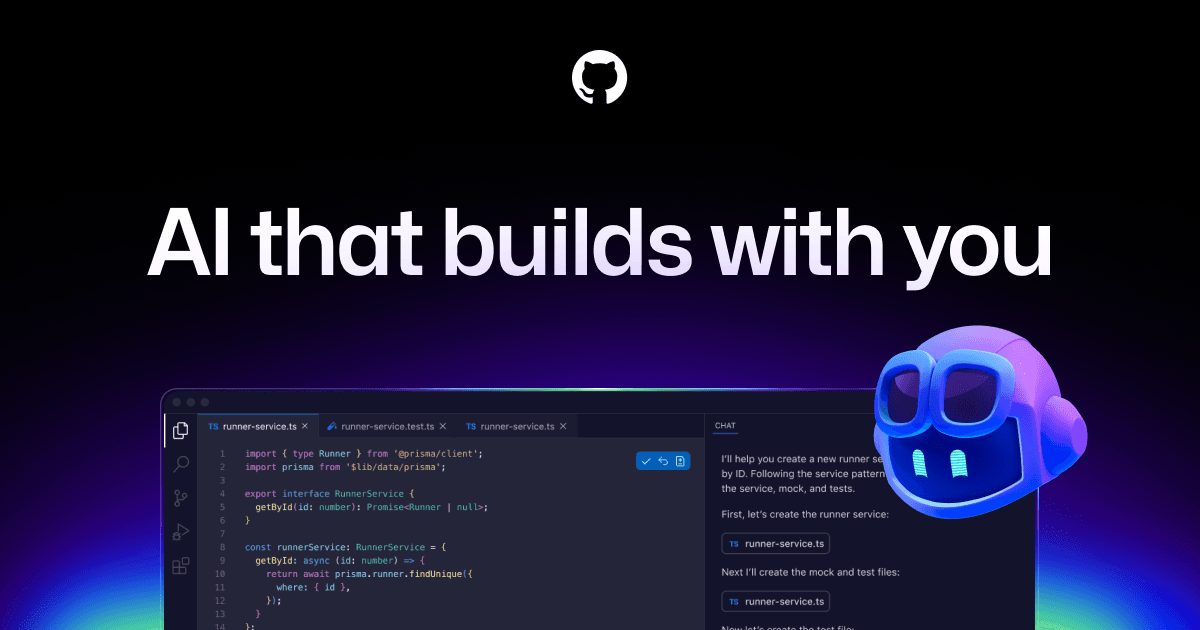
What GitHub Copilot is
GitHub Copilot is the AI coding assistant most developers encounter first, and the reason is distribution rather than novelty: it runs inside the editors and the GitHub workflow they already use. VS Code, JetBrains IDEs, Visual Studio, the command line, and github.com all get the same assistant — inline completions, a chat that can see your code, agentic edits, and code review. You don't adopt Copilot so much as switch it on where you already work.
Where it earns its score
The strength is reach. For a team already living in GitHub, Copilot is the path of least resistance: no new editor, no new vendor, often no new invoice. The free tier is genuinely useful — two thousand completions a month plus chat — and verified students and open-source maintainers get Pro at no cost, which quietly makes it the default for a huge population of developers. On top of completions, the agent mode and agentic code review push it well past the autocomplete tool people remember from a couple of years ago.
Because it is a Microsoft/GitHub product, the enterprise story is easy in the way that matters to buyers: procurement, SSO, org controls, and codebase indexing are all there, and you're negotiating with a vendor you already trust with your source code.
The catch
Meeting you inside your existing IDE is also the ceiling. Copilot is an excellent assistant layered onto a host editor; a purpose-built AI editor like Cursor feels more unified, because the whole tool is designed around the AI rather than hosting it. The other honest note is cost structure: paid tiers now bundle monthly usage credits ($15 on Pro, $70 on Pro+), so leaning hard on premium models and agents can push spend beyond the flat subscription. For most people it won't; for heavy users it can.
Copilot is the safest AI coding decision a team can make. Whether it's the best one depends on whether 'safe and already here' is what you're optimizing for.
Who it's for — and who it isn't
Use Copilot if you want strong AI help with near-zero disruption, especially if your team is already on GitHub. It is not the tool for a non-developer trying to build an app from a prompt — that's an app builder like Lovable — and it's not the deepest AI-editor experience if you're willing to change editors, where Cursor goes further. It is, however, the answer that's hardest to argue with for a working team that just wants good AI in the tools they already have.
Pricing, honestly
Free is real: 2,000 completions a month plus chat, with free Pro for verified students and OSS maintainers. Pro is $10/month for unlimited completions, cloud agent, and code review with $15 of monthly credits; Pro+ is $39/month with premium models and $70 of credits; Max is $100/month. Business and Enterprise are per-user with org controls. All figures verified on the official plans page in July 2026 — confirm at checkout, since the credit model is new and adjusts.
Best for
Teams and individuals who want strong AI assistance inside the IDE and GitHub workflow they already use, with minimal change.
Not for
You want the deepest possible AI-editor integration and are willing to switch editors for it — Cursor goes further.
SCORECARD
How it scores
THE TRADE-OFFS
Pros & cons
- Lives in the tools you already run: VS Code, JetBrains, Visual Studio, CLI, and GitHub itself.
- Genuinely useful free tier (2,000 completions a month) and student/OSS-maintainer access.
- Agent mode, chat, and agentic code review round it out well beyond plain autocomplete.
- Enterprise procurement is trivial when you're already a GitHub customer.
- As an assistant bolted onto a host IDE, it feels less unified than a dedicated AI editor.
- Paid tiers now include monthly usage credits, so heavy premium-model use can exceed the flat price.
- Best experience assumes you're inside the GitHub/Microsoft ecosystem.
ALTERNATIVES
If GitHub Copilot isn't the fit


Anthropic's coding agent, in your terminal.
GUIDES
GitHub Copilot guides & comparisons
Head-to-heads
FAQ
Quick answers about GitHub Copilot
See what GitHub Copilot has to offer
Go to GitHub CopilotDaddyPromoos is an independent publisher. GitHub Copilot and related marks belong to their respective owners.